

Why CRM and the cash register so often don’t talk
Cafe owners usually live the same story: orders sit in one app, the fiscal receipt comes from another, and revenue plus stock get reconciled in Excel every evening. The cashier enters the same sale twice, the manager reconciles shifts, and you don’t see the real margin on a latte until month-end.
In Belarus you also need fiscalization via an SKO (operator control device) and a software cash register — for example the WebKassa ecosystem. Without a CRM ↔ POS ↔ SKO link you either break the process or drown in duplicate work.
Good news: connecting a CRM to the register can take literally five minutes. In Sell & Buy you enter the terminal address and PIN — a couple of clicks — and then order, payment and the fiscal receipt flow as one pipeline.
What SKO means in plain language
An SKO is a device on your venue’s local network. It receives commands from cash-register software, builds fiscal documents and sends them to the control system. A software cash register (including WebKassa-based setups) talks to the SKO over API: open shift, create order, take payment, print receipt.
For you as an owner that means one thing: the POS must speak to the SKO directly, and the CRM must receive already-fiscalized sales into analytics, inventory and reports — not the other way around, and not “via a notebook”.
Shifts & cashier
Cash / card / mixed
Fiscal receipt
CRM analytics
How Sell & Buy integrates with SKO
One loop from the cloud to the fiscal receipt — with no manual data hopping.
Menus, prices, locations, SKO address and PIN
Orders, shifts and payment in one UI
Fiscalization on the venue LAN
The sale lands in analytics, stock and the shift
In practice it looks like this:
-
You set up the terminal in CRM.
Host, port and SKO PIN — once per register. The POS picks up the config automatically.
-
The cashier works on a tablet.
Opens the shift, builds the order with modifiers, takes payment.
-
The POS talks to the SKO over LAN.
Requests stay on the cafe network. Card data never lands on our servers.
-
CRM sees the final sale.
Revenue, payment method and recipe-based stock write-off — without evening reconciliation.
If the link to the terminal blinks during payment, the POS can recover fiscalization: it reconciles receipts with the SKO and doesn’t leave a hanging order. During a rush that matters.
What it looks like on the floor
The POS UI is built for speed: menu, modifiers, order control and payment — without extra screens.
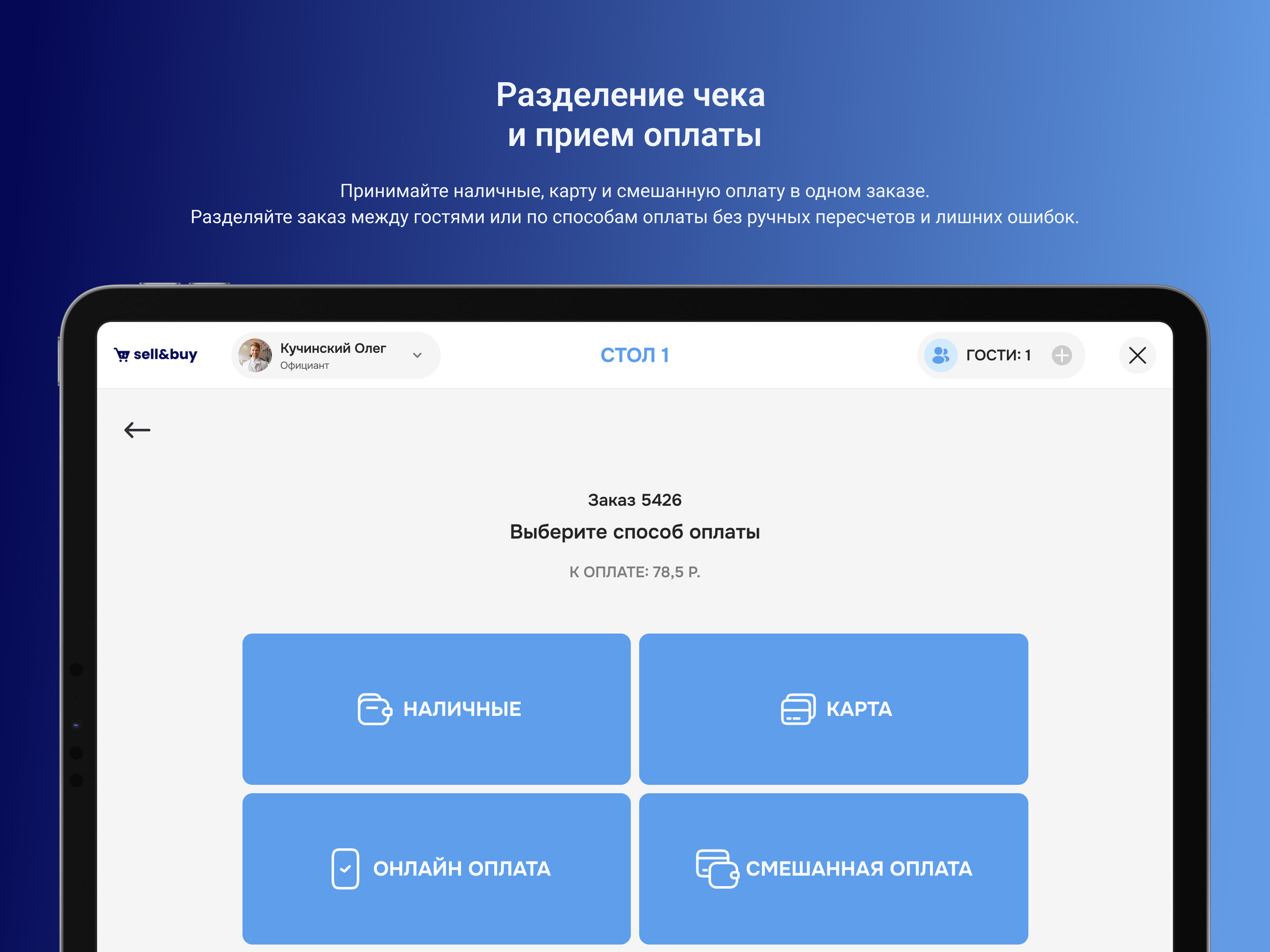
Payment in one tap: cash, card, online or a mixed check — with fiscalization via SKO.
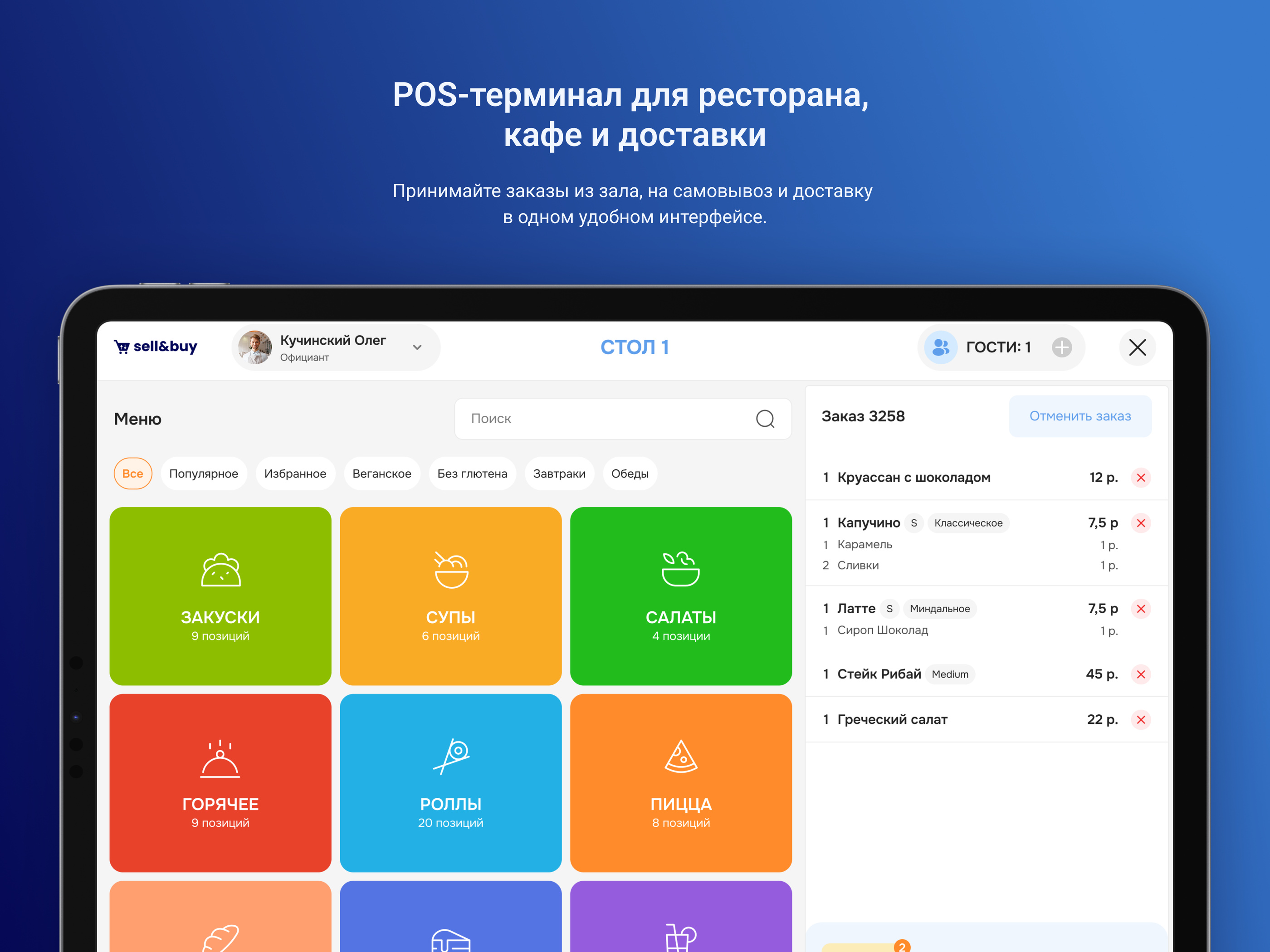
Menu and cart in one view — for dine-in and takeaway.
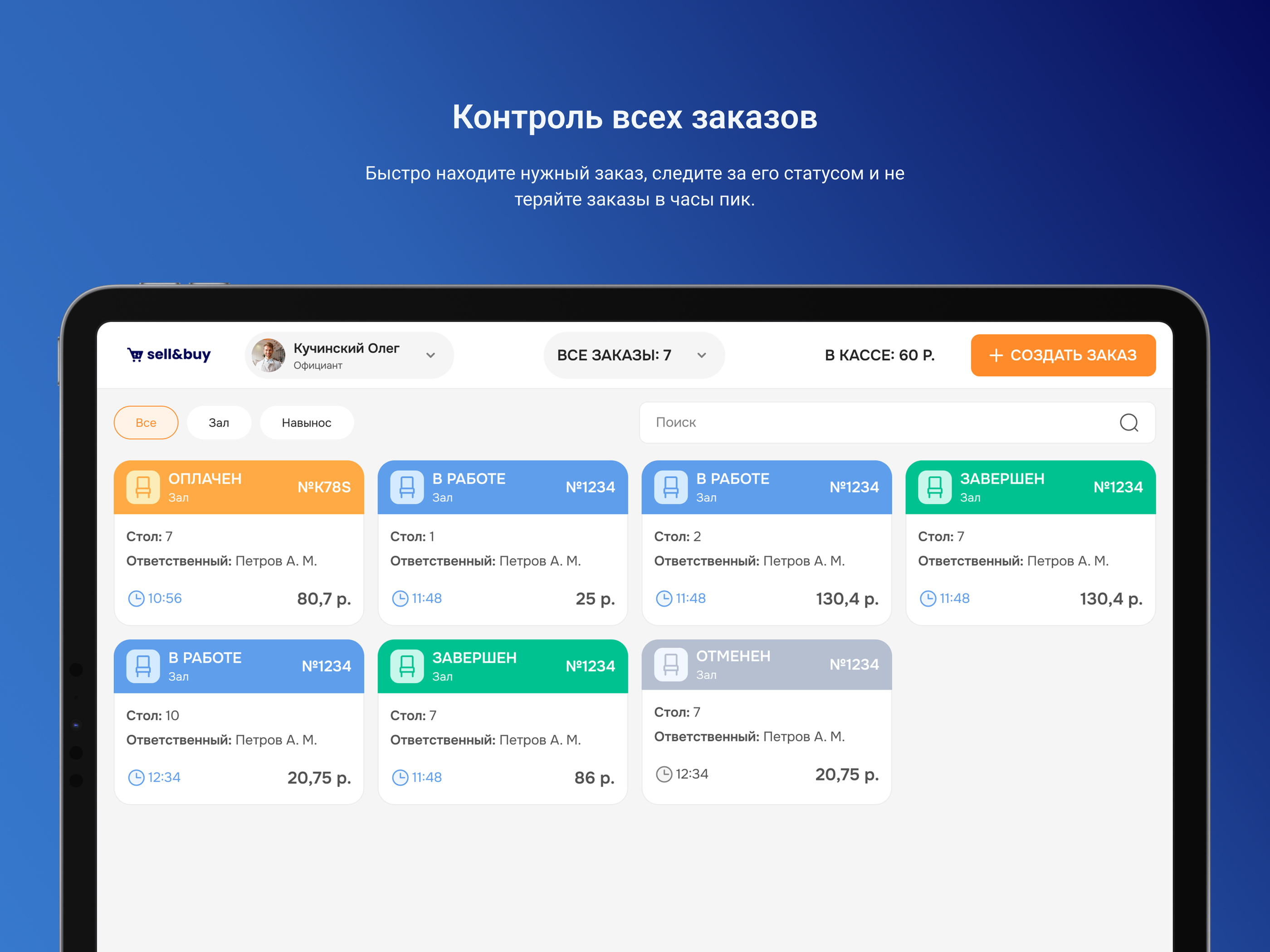
Order statuses on the dashboard — fewer lost tickets in peak hours.
Bank terminals: Alfa-Bank and beyond
SKO fiscalization is one half. Acquiring is the other. We already work with bank POS terminals (including Alfa-Bank as an example) and are ready to connect any bank you already use or plan to use.
On the floor it’s simple: the cashier picks “Card” or “Mixed”, the guest pays on the bank terminal, and Sell & Buy records the payment and punches the fiscal receipt via SKO — with no double amount entry.
Excel, Quick Resto or Sell & Buy?
Comparing tools in a vacuum is pointless — look at how many systems you have to keep in your head every day.
Register + Excel
- Double entry of orders and revenue
- Stock and COGS “by eye”
- Evening reconciliations and shift errors
- No single window for a multi-site network
Typical POS (e.g. Quick Resto)
- Strong floor and register experience
- Integrations often become a separate project
- CRM, stock and B2B purchasing may live “on the side”
- Harder to see end-to-end margin
Sell & Buy
- CRM + POS + stock + analytics out of the box
- SKO / WebKassa already connected and live
- Banks under your contract (Alfa and others)
- Suppliers and menus in one ecosystem
Quick Resto is a well-known market player. The difference is approach: we build an end-to-end Belarus-ready loop — from recipes and stock to the fiscal receipt and supplier purchasing — instead of assembling it from separate modules after go-live.
Why cafe owners choose us
Already used by partners
Shift, order, payment, receipt and recovery on failure — not “coming soon”, but what cashiers use every day.
No artificial limits
We don’t lock features behind a “basic” plan. Need mixed checks, several registers, a multi-site network — we configure for your format.
One vendor instead of five
Menu, stock, POS, SKO, acquiring and analytics — one team. Fewer hand-offs and less finger-pointing.
Live in days, not months
Menu migration, terminal setup, cashier training. Early partners get full access free for the beta period.
How to connect: four steps
- A short call. We map which registers, bank and SKO you already have.
- Terminal setup in CRM. SKO address, PIN, location, menus with recipes.
- Shift rehearsal. Open shift, test order, cash and card, fiscal receipt.
- Go live. Cashiers on the tablet; you in analytics and stock — without evening Excel.
Usually from application to a working register takes a few days to two weeks, depending on menu size and number of sites.
Bottom line: integrating CRM with a terminal can be simple
Linking a CRM to a POS terminal in Belarus is not a six-month project when the platform already speaks SKO and bank acquiring. Sell & Buy is built that way: a tablet order becomes a fiscal receipt and lands in your books immediately.
Want to see the loop on your cafe’s example? Apply for early access. We’ll show the POS, SKO connection and how sales match stock without Excel. More detail on the POS terminal and CRM for cafes pages.